RSAS Resources > Interviews for new
RAs
To prepare for the rush of applicants who are applying and to give interview
slots in a timely manner, here are some instructions of how to enter interview
slots for your RF.
These are the dates you should be aware of.
Signup Period 1: RF/CD interview offers due on the Web site by noon
Tuesday, April 6, 2004
Applicants will logon SunAppSys at 2pm and have until 12:00 pm Wednesday, April
7, 2004 to signup for interviews).
Interviews
may start at 2pm on Wednesday, April 7.
Signup Period 2: RF/CD interview offers due on the Web site by noon
Tuesday, April 13, 2004
Applicants will logon SunAppSys at 2pm and have until 12:00 pm Wednesday, April
14, 2004 to signup for interviews).
Interviews
may start at 2pm on Wednesday, April 14.
Signup Period 3: RF/CD interview offers due on the Web site by noon
Tuesday, April 20, 2004
Applicants will logon SunAppSys at 2pm and have until 12:00 pm Wednesday, April
21, 2004 to signup for interviews). Interviews may start at 2pm on Wednesday,
April 21.
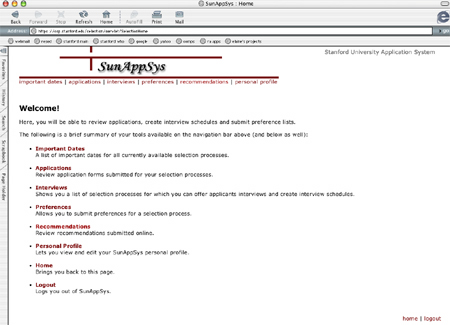
1. Login to SunAppSys
https://osp.stanford.edu/selection/
Go through the identification process and you'll be taken to the main Welcome
page of SunAppSys.
|  |
| |
|
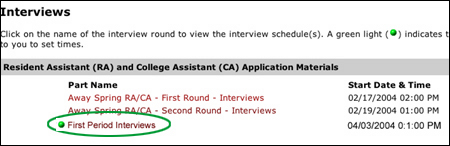
| 2. Click on the "Interviews" link. You will be taken to a
page that details all the interview rounds that are available at that time.
A green light indicates the interview round signup is currently available.
Click on the appropriate link matching the time period you plan to enter
interviews.
For example, if it's Monday April 5 you will click on "First Period Interviews."
If it's Friday April 9, you will click on "Second Period Interviews." |
 |
| |
|
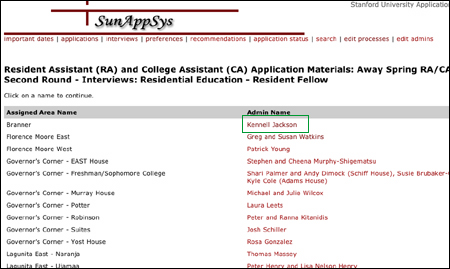
| 3. You will then be taken to a page that lists all the RFs
of ResEd. Pick the RF you're entering information for. For this example,
I'll pick Kennell Jackson |
 |
| |
|
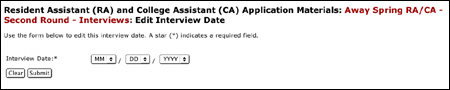
| 4. You will then be taken to a page that gives an overview
of your Interview options. Scroll to the "Interview Dates for Residential
Education" section.
Click on "To create a new interview date, click here" and follow the
instructions of how to enter dates and times of your RFs interview slots.
Usually the RF should give you several dates and times that the student
can choose from. |
 |
| |
|
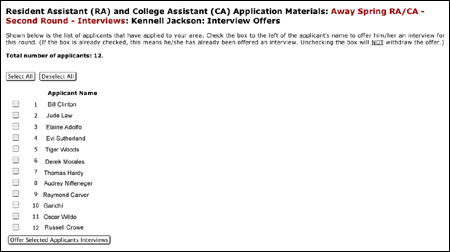
| 5. After you are done entering dates go back to the overview
page of Interview options and scroll down to the "Interview Offers" section.
Click on "To offer interviews to applicants, click here."
You will then be taken to a page that details the applicants who applied
to your house. Pick the applicants your RF wants to interview and click
"Offer Selected Applicants Interviews." |
 |
Once you have entered all this information you are done.
The students you have chosen will see the interview offer once they login to SunAppSys. They will then choose what dates and times they can meet with the RF. Sometimes they're not able to meet the times the RF has chosen and they will probably contact the RF directly to choose alternative times.
You will know when students have agreed to a time slot if you go back to the overview page of Interview options and scroll down to the "Interview Offers" section. A time will show up next to the person's name if the student has agreed to a time. If a student has not picked a time, it will say "Assign a Time" next to that student's name.